
AI assistant
Iris
Executive Assistant
Executive support, even when you’re a team of one.
Brief your day, organise email and calendar, and keep track of the next action.
Try asking
“Iris, review my calendar and inbox, then help me plan today.”
Tell Chat what you need done. Your AI assistants carry out work across connected business software, guided by the practices, rules, principles and values you define.
Private workspace · deployment, connected tools and model access by arrangement
Work across your apps
Bring the work to the conversation. Your assistant uses the connected business tools needed for the task, so the request, actions and review stay together.
Shape your assistants’ work with the business context and instructions you provide. Connected tools and decision rules define the actions they can take.
Bring your documented best practices, checklists and business knowledge into the task.
Define the scope for actions, what can proceed and what needs your review.
Give your assistants direction on priorities, communication and the way you want decisions approached.
Set the direction, agree what your assistants can do, and review the work where your business requires it.
Tickets, invoices, projects, milestones and knowledge articles.
Create and update operational records through connected Core tools.
Credential handovers as part of the work.
Coordinate a handover through your configured Vault workflow.
Email context without leaving the conversation.
Find messages, review your inbox and prepare replies.
Appointments and availability in context.
Check availability and arrange calendar events.
Bring documents into the conversation.
Read supported Google Docs stored in Drive. Current Docs access is read only.
Website performance signals for better decisions.
Use connected, read-only Google Analytics and Search Console evidence in marketing work.
Your business. A team behind it.
Running a business on your own shouldn’t mean doing every job alone. Bring executive support, finance, coaching and specialist perspectives into the same workspace.
AI assistant
Executive Assistant
Executive support, even when you’re a team of one.
Brief your day, organise email and calendar, and keep track of the next action.
Try asking
“Iris, review my calendar and inbox, then help me plan today.”

AI assistant
CFO · Financial Executive
Review cash flow, invoices and budgets so you can prepare your next financial decision.
Try asking
“Plutus, help me review cash flow and the invoices that need attention.”

AI assistant
Executive Coach
Turn goals into commitments, reflect on progress and work through what is getting in the way.
Try asking
“Chiron, help me choose this week’s priorities and review my progress.”

Chief Marketing Officer
Connect brand strategy, market positioning and growth plans.

Chief Technology Officer
Evaluate technology strategy, platform architecture and technical priorities.

Chief Data Officer
Define useful metrics, strengthen data quality and make reporting easier to interpret.

Chief Revenue Officer
Connect pipeline, forecasting and sales processes to your revenue priorities.

Chief of Staff
Bring priorities, meeting preparation and executive communication into a coordinated plan.

Operations Specialist
Work through tickets, incidents and the operational details that keep things moving.

Strategy Advisor
Weigh options, clarify priorities and make a plan for the direction of your business.

Marketing Lead
Shape your message, develop content and plan campaigns around a clear audience.

Sales Partner
Prepare proposals, think through outreach and work on your sales pipeline.

Finance Analyst
Examine pricing, margins and cash flow, with assumptions and risks made explicit.

Product Architect
Work through product architecture, implementation choices and engineering trade-offs.

Delivery Manager
Organise roadmaps, milestones and dependencies, and identify delivery risks.

Client Success
Plan onboarding, improve support communication and keep client needs in view.

Knowledge Scribe
Turn decisions and working knowledge into clear documentation, SOPs and knowledge articles.
SEO Strategist
Plan search-led topic clusters, internal links and useful ways to measure organic performance.
Managing Editor
Review clarity, factual support, brand voice, accessibility and citations before publication.
Content Operations Publisher
Prepare content and metadata for publication, and check the released result.
Distribution Manager
Plan email and social distribution, repurpose content and organise launch activity.
Brand and Claims Reviewer
Check support for claims and identify privacy, confidentiality and brand risks.
22 AI assistants with distinct specialities. Ask one directly or bring specialists together around a larger piece of work. You stay in charge; connected tools and actions follow your workspace’s access and decision rules.
See how the team works together ↓Coordination behind the conversation
Use a connected tool for an everyday task, or delegate a larger outcome to a lead and specialists. Keep the scope and review steps visible. The product views below use fictional demonstration data.
See the product in action ↓State the business outcome and constraints.
A lead selects specialists and defines deliverables.
When required, inspect the proposed plan before work begins.
Specialists work within scoped tools and budgets.
Inspect available review notes and outputs before accepting delivery.
The actual interface
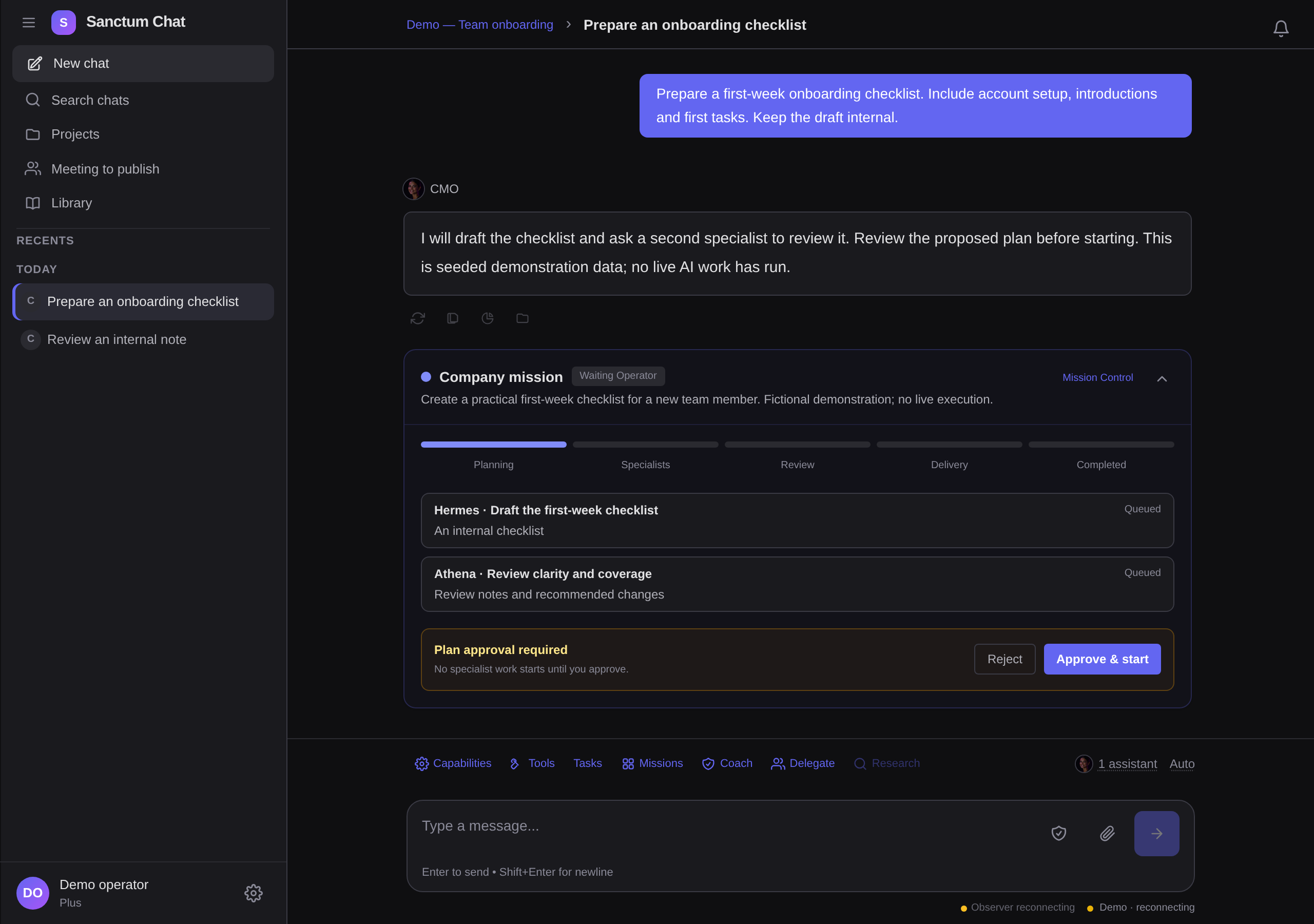
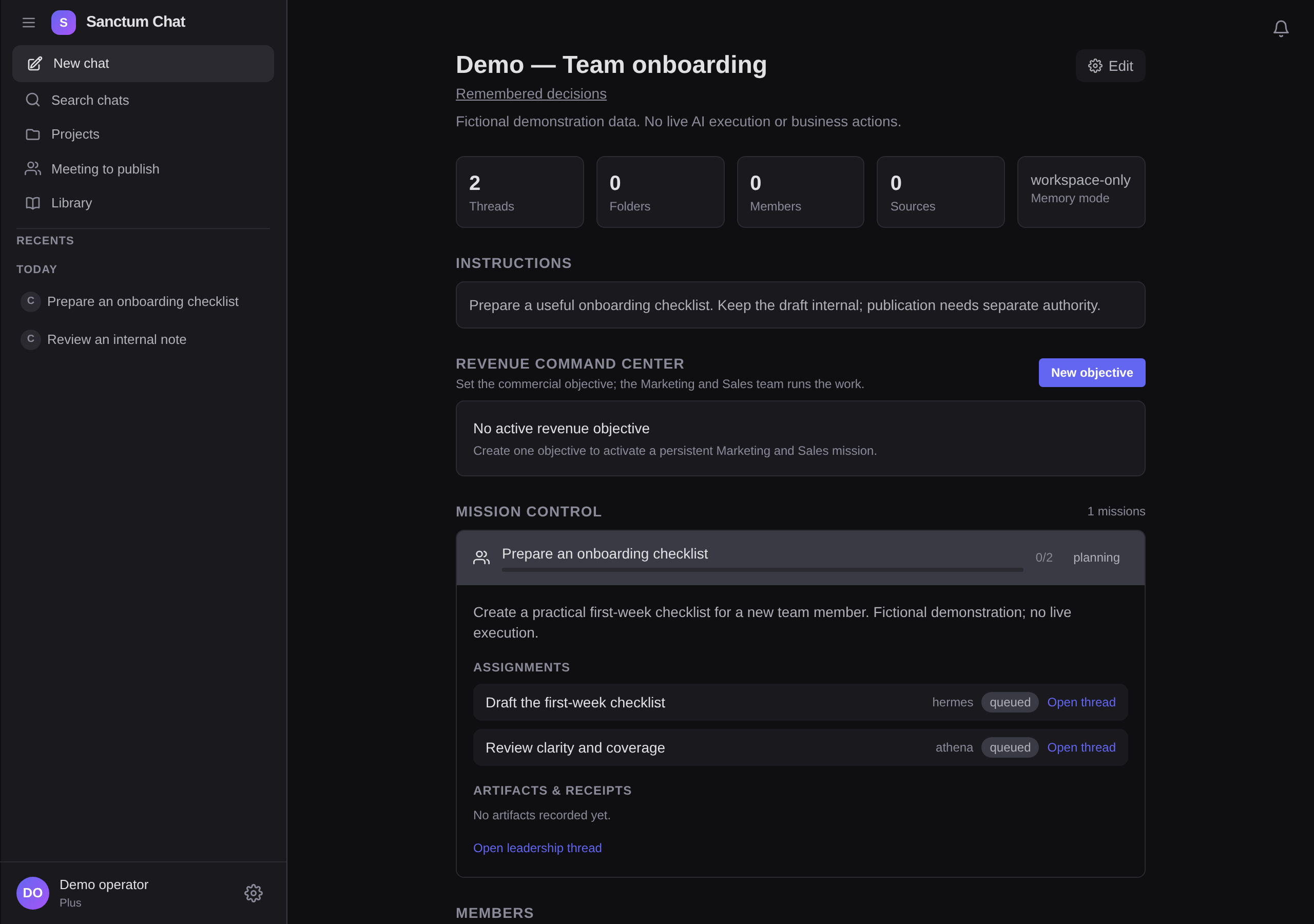
Explore the brief, the mission and the proposed change. These are captures of the current product with fictional demonstration data. No live AI run or business action was executed.
Brief and plan
Set the outcome and constraints. When plan approval is required, inspect the proposed specialists and deliverables before starting.
Mission Control
Open a mission to inspect its recorded assignment states, linked threads, and any available artifacts or review notes.
Review an action
For actions that need a decision, review the target and proposed content. Authority follows the configured policy; routine authorised work can proceed within its existing scope.
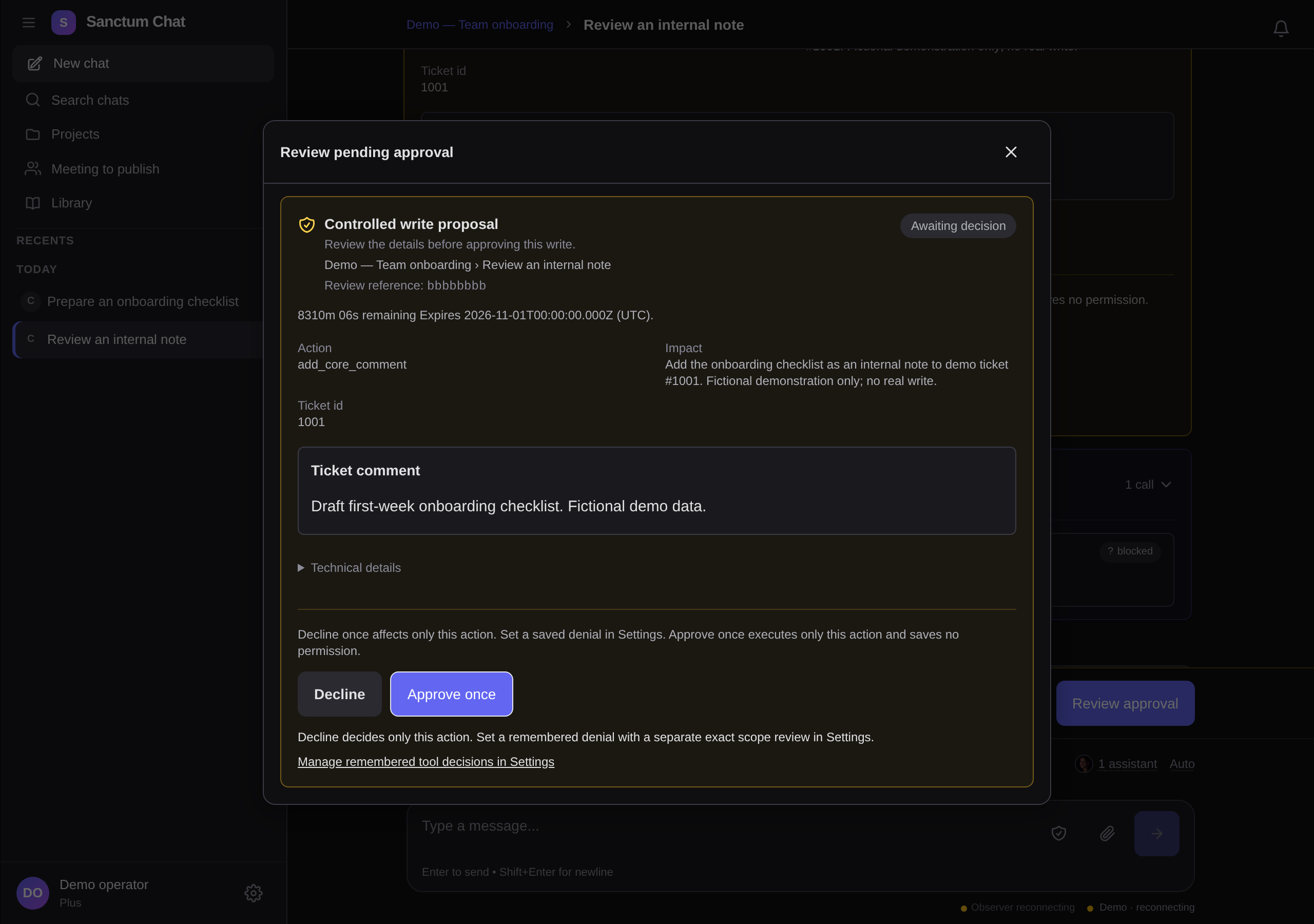
Silent edited sequence of the three real interface captures above. Demonstration states; no live work was executed. Pauses do not represent task speed. The static views provide the same information; playback is optional.
Open larger videoStart with the tasks that send you from app to app. We’ll agree which services to connect, what the tools can do and where decisions need review.